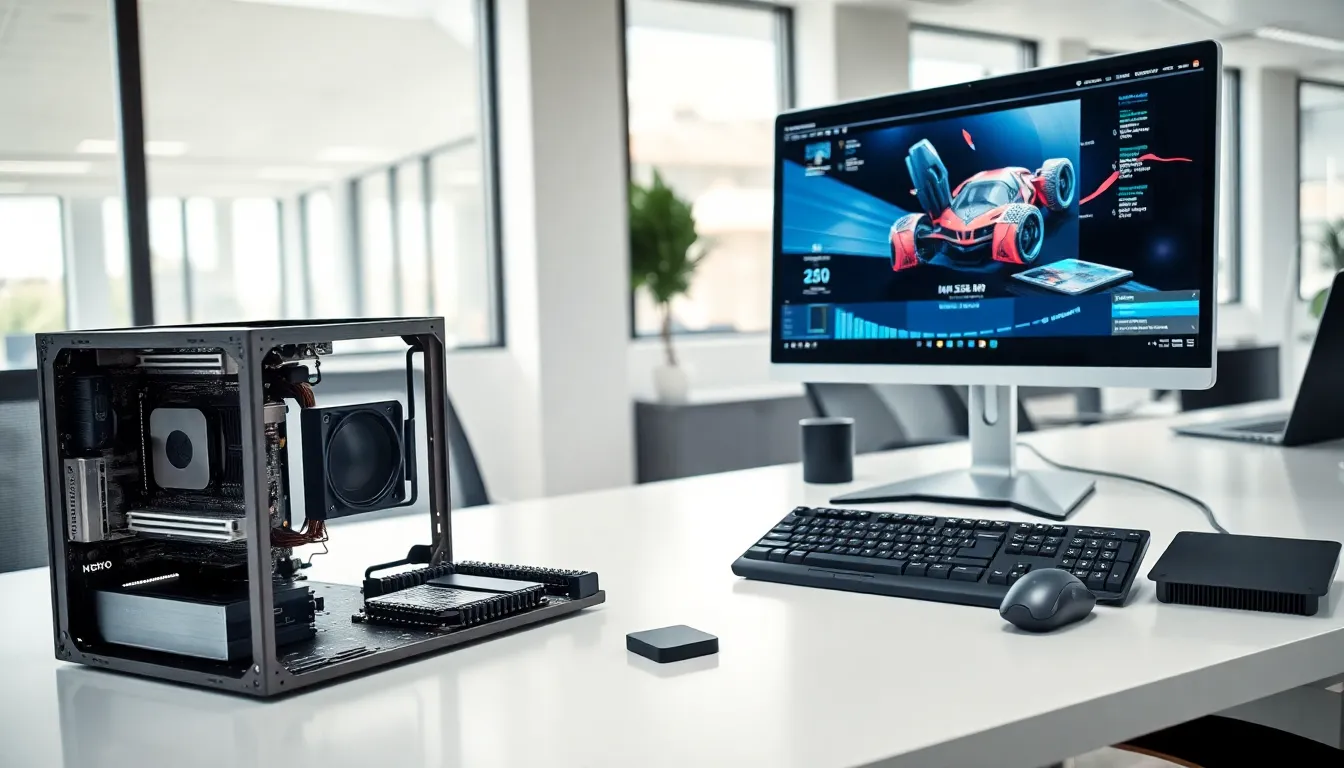

What is hardware? In simple terms, hardware refers to the physical components that make up a computer system. These are the parts you can touch, hold, and physically interact with, from the keyboard under your fingers to the processor inside your machine.
Every computing device relies on hardware to function. Without it, software has nothing to run on. Think of hardware as the body of a computer, while software acts as the brain giving it instructions. This guide breaks down the essential hardware components, explains how they differ from software, and shows why understanding hardware matters for anyone using technology today.
Table of Contents
ToggleKey Takeaways
- Hardware refers to the physical components of a computer system, including the CPU, RAM, storage drives, and peripherals you can touch and interact with.
- Computer hardware falls into two categories: internal components (CPU, motherboard, GPU) that handle processing, and external devices (monitor, keyboard, mouse) that manage input and output.
- Hardware and software are interdependent—hardware provides the physical platform while software delivers the instructions to make it function.
- Upgrading hardware like RAM or switching from an HDD to an SSD can extend your computer’s lifespan and significantly boost performance.
- Understanding what hardware is helps you make smarter purchasing decisions, troubleshoot problems faster, and ensure software compatibility.
Understanding Hardware Basics
Hardware forms the foundation of every computing device. It includes all physical parts, circuits, chips, cables, screens, and more. Without hardware, computers simply wouldn’t exist.
The term “hardware” comes from the idea that these components are hard, tangible objects. They differ from software, which consists of programs and data stored electronically. Hardware provides the physical platform where software operates.
Modern hardware ranges from tiny microchips to large server racks. A smartphone contains hardware. So does a supercomputer. The scale changes, but the concept stays the same: hardware is the physical stuff that makes computing possible.
Computer hardware works through electrical signals. The CPU (Central Processing Unit) processes instructions. RAM (Random Access Memory) stores data temporarily. Storage drives keep files permanently. Each piece of hardware plays a specific role in the system.
Understanding hardware basics helps users make better purchasing decisions. It also makes troubleshooting easier. When something goes wrong with a computer, knowing which hardware component might be the problem saves time and money.
Types of Computer Hardware
Computer hardware falls into two main categories: internal components and external devices. Both types work together to create a functional system.
Internal Hardware Components
Internal hardware sits inside the computer case. These components handle the core processing tasks.
CPU (Central Processing Unit): Often called the “brain” of the computer, the CPU executes instructions from software programs. Faster CPUs handle more tasks simultaneously.
Motherboard: This main circuit board connects all other hardware components. It allows the CPU, RAM, and storage to communicate with each other.
RAM (Random Access Memory): RAM stores data the computer actively uses. More RAM means better multitasking performance.
Storage Drives: Hard disk drives (HDDs) and solid-state drives (SSDs) store files, programs, and the operating system. SSDs offer faster speeds than traditional HDDs.
GPU (Graphics Processing Unit): The GPU handles visual rendering. Gamers and video editors need powerful GPUs for smooth performance.
Power Supply Unit (PSU): The PSU converts electrical power from an outlet into usable power for computer components.
External Hardware Devices
External hardware connects to the computer from outside. These devices let users interact with the system.
Monitor: Displays visual output from the computer. Screen size, resolution, and refresh rate vary across models.
Keyboard and Mouse: Primary input devices for most computers. They allow users to type commands and control the cursor.
Printers and Scanners: Output devices that produce physical copies of digital documents or convert physical documents into digital files.
External Storage: USB drives and external hard drives provide additional storage space and portability.
Speakers and Headphones: Audio output devices that play sound from the computer.
Each type of hardware serves a distinct purpose. Internal hardware handles processing and storage. External hardware manages input and output.
Hardware vs. Software: Key Differences
Hardware and software depend on each other, but they differ in fundamental ways.
Physical vs. Digital: Hardware consists of physical objects. You can pick up a hard drive or hold a mouse. Software exists as code, programs, apps, and operating systems stored digitally.
Permanence: Hardware rarely changes once manufactured. A GPU from 2020 stays the same GPU forever. Software updates frequently. Developers release patches, new versions, and security fixes regularly.
Replacement vs. Updates: When hardware fails, it typically needs physical replacement. Broken RAM requires new RAM. Software problems often get fixed through reinstallation or updates without any physical changes.
Cost Factors: Hardware requires upfront investment in physical products. Software may involve one-time purchases, subscriptions, or free downloads.
Interaction: Hardware provides the platform. Software provides the instructions. The CPU (hardware) runs the operating system (software). The monitor (hardware) displays the web browser (software).
Here’s a quick comparison:
| Aspect | Hardware | Software |
|---|---|---|
| Nature | Physical | Digital |
| Examples | CPU, keyboard, monitor | Windows, Chrome, Photoshop |
| Lifespan | Years (until failure) | Indefinite (with updates) |
| Changes | Replacement needed | Updates and patches |
Both hardware and software must work together for a computer to function properly. The best hardware means nothing without software to run on it. The most advanced software can’t operate without hardware to support it.
Why Hardware Matters
Hardware directly impacts computing performance. Faster processors complete tasks quicker. More RAM handles larger workloads. Better GPUs render graphics smoothly.
Choosing the right hardware affects productivity. A writer needs reliable storage and a comfortable keyboard. A video editor requires a powerful GPU and fast storage drives. A gamer wants high refresh rate monitors and responsive input devices.
Hardware also determines software compatibility. Older hardware may not support newer operating systems or applications. Before installing new software, users should check hardware requirements.
Upgrading hardware extends a computer’s useful life. Adding RAM improves multitasking. Swapping an HDD for an SSD dramatically speeds up boot times and file access. These upgrades often cost less than buying a new system.
Hardware quality affects reliability. Well-built components last longer and fail less often. Cheap hardware may save money initially but cause problems later.
Energy efficiency matters too. Modern hardware uses less power while delivering better performance. This reduces electricity costs and environmental impact.
For businesses, hardware decisions have significant consequences. Servers store critical data. Workstations run essential applications. Network hardware keeps teams connected. Poor hardware choices lead to downtime, lost productivity, and frustrated employees.
Understanding hardware helps consumers avoid overpaying for features they don’t need, or underpaying for hardware that won’t meet their requirements.